
Table of Contents
ToggleFree cosmetics, exclusive skins, and unique emotes, all for watching streams? Overwatch drops have become one of the easiest ways to pad your collection without spending a dime. Since the transition to Overwatch 2, Blizzard’s expanded drop programs through Twitch partnerships and seasonal events, giving players more opportunities than ever to snag limited-time rewards.
But here’s the thing: many players miss out simply because they don’t understand how the system works. Account linking fails, watch time doesn’t register, or campaigns end before they even realize they’re active. Whether you’re chasing that elusive legendary skin or building up your spray collection, knowing the mechanics behind Overwatch drops, and how to troubleshoot when things go sideways, makes all the difference.
Key Takeaways
- Overwatch drops are free cosmetics earned by watching Twitch streams or participating in events, requiring only time and a properly linked Battle.net account to claim rewards.
- Proper account linking between Twitch and Battle.net is essential before any campaign starts, as linking failures are the #1 reason players miss drops entirely.
- Watch time only counts when streams are actively playing with audio and the tab in focus—not on muted tabs, paused streams, or backgrounded windows.
- Running streams on secondary devices or mobile phones allows passive drop farming while playing Overwatch or doing other activities with zero opportunity cost.
- Overwatch drops campaigns follow predictable patterns tied to OWL seasons (March-October), new season launches every 9 weeks, and seasonal events like Anniversary (May), Summer Games (August), and Halloween Terror (October).
- Missing a drop campaign may mean permanent gaps in your cosmetic collection, as many exclusive skins offered through drops never return to the standard shop rotation.
What Are Overwatch Drops and How Do They Work?
Overwatch drops are in-game rewards players earn by watching designated streams on Twitch or participating in special events. Unlike traditional loot boxes or shop purchases, drops are completely free, your only investment is time.
The core mechanic is straightforward: tune into a qualifying stream, accumulate watch time, and claim your reward once you’ve hit the required threshold. Most campaigns run for a limited window, anywhere from a weekend to several weeks, and feature specific cosmetics tied to that period. You might earn a legendary skin for two hours of viewing during an Overwatch League tournament, or unlock a weapon charm after 90 minutes during a seasonal event.
Blizzard partners with Twitch to power the majority of drop campaigns, leveraging the platform’s built-in drops system. When a campaign is live, any participating streamer with “Drops Enabled” in their title becomes eligible. The system tracks your watch time automatically in the background, provided your Battle.net account is properly linked to Twitch.
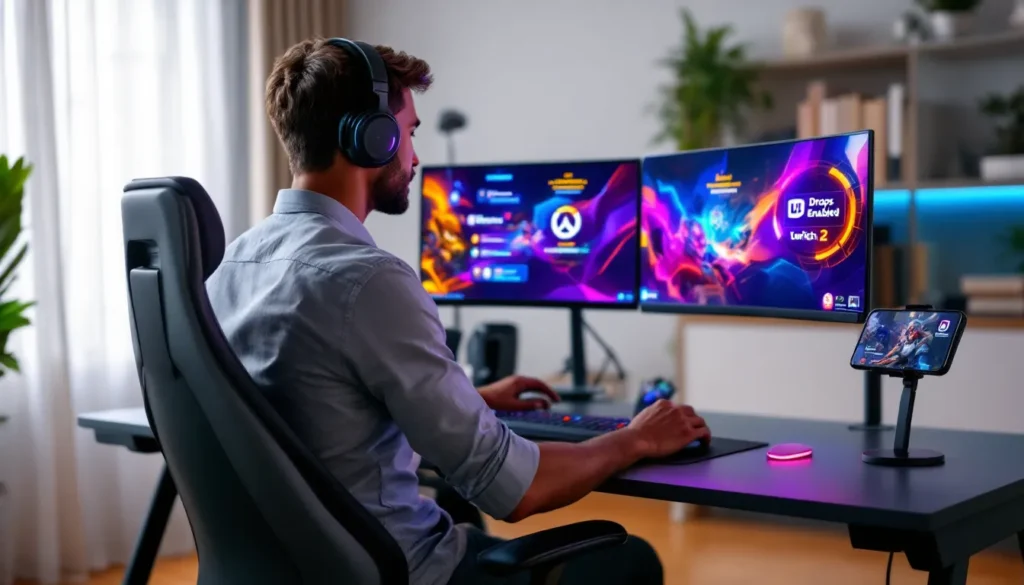
One critical detail: watch time only counts when you’re actively viewing. Muted tabs, paused streams, or background windows don’t register. You need the stream playing with audio (even if it’s at 1% volume) and the tab in focus, or at minimum, not completely minimized. Some players run streams on secondary monitors or mobile devices to farm drops passively while playing the game itself.
Types of Overwatch Drops Available
Drop rewards vary significantly depending on the campaign type and source. Understanding what’s available, and when, helps you prioritize which events to target.
Twitch Drops for Overwatch
Twitch Drops represent the most common and accessible reward category. These campaigns typically coincide with major content updates, hero launches, or promotional periods. Rewards range from sprays and player icons to epic and legendary skins.
Recent examples include the Season 14 campaign in late 2025, which offered the Chrono Tracer skin for four hours of viewing, and the Anniversary event in May that featured a rotating pool of five skins based on cumulative watch time. Twitch drops usually follow a tiered structure: watch for 60 minutes to unlock the first reward, 120 minutes for the second, and so on, up to a maximum cap.
What makes Twitch drops particularly valuable is their exclusivity window. Many skins offered through drops don’t appear in the standard shop rotation for months, or sometimes ever. If you miss the campaign, you might be waiting until the next anniversary event, if at all.
Overwatch League Drops
Overwatch League (OWL) Drops operate on a parallel track, tied specifically to professional match broadcasts. When OWL is in season, typically running from March through October, Blizzard activates drop campaigns during live matches on the official Overwatch League Twitch channel.
OWL drops tend to feature team-branded cosmetics: home and away skins for specific heroes, team sprays, and player icons. The 2026 Spring Stage introduced a new mechanic where watching Grand Finals earned you a random legendary team skin from the participating franchises, adding an RNG element to the usual guaranteed progression.
One bonus: OWL drops often stack with regular Twitch drop campaigns. During overlap periods, you can earn progress toward both simultaneously by watching OWL matches, doubling your efficiency. Competitive gaming platforms like Mobalytics frequently track OWL schedules and active drop campaigns for players looking to optimize their viewing.
In-Game Event Drops
Some rewards skip Twitch entirely and tie directly to in-game event participation. Seasonal events like Halloween Terror, Winter Wonderland, and Anniversary celebrations occasionally feature challenge-based drops: complete five games in a specific mode to unlock a spray, win ten matches for an epic skin, and so forth.
These aren’t “drops” in the traditional Twitch sense, but Blizzard uses similar terminology in patch notes and promotional materials, which creates some confusion. The key distinction is the unlock method, playing versus watching. Event drops are time-limited and typically rotate out when the event ends, so completionists need to grind them during the active window.
How to Enable and Claim Twitch Drops for Overwatch
Setting up drops correctly is non-negotiable. Skipping a step or misconfiguring your accounts means zero rewards, no matter how many hours you watch.
Linking Your Battle.net Account to Twitch
Before any drops can register, your Battle.net and Twitch accounts need to be connected. Here’s the exact process:
- Log into your Twitch account and navigate to Settings > Connections.
- Scroll down to the “Other Connections” section and locate Battle.net.
- Click Connect and authorize Twitch to link with your Battle.net account. You’ll be redirected to Blizzard’s login page, use the credentials tied to your Overwatch 2 game license.
- Confirm the connection on both platforms. Twitch should display “Connected” with your BattleTag visible, and your Battle.net account settings should list Twitch under “Connections.”
Double-check this before any campaign starts. Account linking failures are the #1 cause of missing drops, and you can’t retroactively claim rewards if the connection wasn’t active during your watch time.
Finding Overwatch Streams with Drops Enabled
Not every Overwatch stream qualifies for drops, only those explicitly opted into the active campaign. Identifying eligible streams takes seconds:
- Open Twitch and search for “Overwatch 2” in the game directory.
- Look for the “Drops Enabled” tag directly below the stream title. This appears as a green label and confirms the streamer is participating.
- Alternatively, check the campaign page on Twitch’s Drops Inventory (accessible via your profile icon > Drops). Active campaigns list all eligible channels automatically.
During major events, Blizzard often designates specific channels, like the official PlayOverwatch or Overwatch League accounts, as primary drop sources. Players interested in learning more about how to spectate in Overwatch 2 can also watch high-level gameplay while farming rewards.
Pro tip: smaller streamers with drops enabled often have more engaged chats and fewer viewers, making for a better experience if you’re actually watching rather than just farming.
Claiming Your Drops and Receiving Rewards
Once you’ve accumulated the required watch time, Twitch notifies you via a pop-up in the top-right corner and an inventory update. Here’s where manual action is required:
- Click the notification or navigate to your Drops Inventory (profile icon > Drops).
- Locate the earned drop and click Claim. This sends the reward to your linked Battle.net account.
- Launch Overwatch 2. Most drops appear immediately in your hero gallery under the appropriate cosmetic category (skins, sprays, etc.). Some require a game restart to populate.
Claimed drops are permanent and account-bound. They won’t expire or disappear, so there’s no rush to log in immediately, though verifying receipt is smart in case linking issues need troubleshooting.
Maximizing Your Overwatch Drop Earnings
Time is your currency with drops. Optimizing how you spend it determines whether you snag everything available or miss out on key rewards.
Best Practices for Drop Farming
Drop farming doesn’t require active engagement, you’re not playing the game, but a few techniques streamline the process:
- Run streams on secondary devices or monitors. Phones, tablets, or spare laptops work perfectly. This lets you play Overwatch 2 (or other games) while accruing watch time.
- Set stream quality to 160p. Low resolution minimizes bandwidth usage and prevents buffering, which can pause watch time tracking. Audio quality doesn’t affect drops, so prioritize stability over visuals.
- Avoid muting the tab. Twitch detects muted tabs and often pauses progress tracking. Instead, set your system volume to 1% or use a mixer to isolate the stream audio.
- Enable low-latency mode cautiously. Some players report erratic watch time tracking with low-latency enabled during high-traffic campaigns. Standard latency is safer for passive farming.
- Check progress manually. Twitch’s drop progress bar (accessible via the Drops Inventory) updates in real time. If it’s not moving after 10-15 minutes, troubleshoot immediately rather than wasting hours.
Community resources like Dot Esports often publish drop farming guides during major campaigns, comparing streamer uptime and optimal viewing windows.
Tracking Active Drop Campaigns and Events
Drop campaigns are time-sensitive and rarely announced far in advance. Staying informed requires a multi-channel approach:
- Blizzard’s official blog and social media. Campaign announcements usually drop on Twitter (@PlayOverwatch) and the Overwatch website 24-48 hours before activation.
- Twitch’s Drops page. The platform lists all active campaigns across games. Bookmark
twitch.tv/drops/campaignsand filter by Overwatch 2 to see current and upcoming events. - Community discords and subreddits. r/Overwatch and dedicated Overwatch discords crowdsource campaign info, often spotting activations before official announcements.
- In-game notifications. Overwatch 2’s main menu occasionally features banners for active Twitch drop events, though these are less reliable than external tracking.
Set calendar reminders for recurring events like OWL match days or seasonal celebrations. Anniversary (May), Summer Games (August), and Halloween Terror (October) historically feature drop campaigns, making them predictable targets.
Common Issues and Troubleshooting Overwatch Drops
Even with perfect setup, drops sometimes fail to register or deliver. Here’s how to diagnose and fix the most frequent problems.
Drops Not Appearing in Your Account
You’ve claimed the drop on Twitch, but it’s nowhere in your Overwatch 2 inventory. First steps:
- Restart the game completely. Close Overwatch 2 entirely (not just to the main menu) and relaunch. Many drops require a fresh client load to populate.
- Verify the claim on Twitch. Check your Drops Inventory to confirm the item shows “Claimed” rather than “Ready to Claim.” If it’s still unclaimed, that’s your issue.
- Confirm the correct account. If you own multiple Battle.net accounts, ensure Twitch is linked to the one you’re actively playing. Check both Twitch Connections and Battle.net settings to verify matching BattleTags.
- Wait 24 hours. Blizzard’s drop delivery system occasionally lags during high-traffic campaigns. Most delayed drops resolve within a day.
If the drop still doesn’t appear after 48 hours, submit a ticket through Blizzard Support with your BattleTag, Twitch username, and the specific campaign/reward in question. Include screenshots of your claimed drops and account linking pages.
Account Linking Problems
Linking failures manifest in two ways: the connection won’t establish, or it disconnects randomly. Solutions vary:
- Use a desktop browser. Mobile linking is notoriously buggy. Switch to Chrome or Firefox on a PC for the most stable experience.
- Clear cookies and cache on both Twitch and Battle.net before attempting to link. Old session data can interfere with OAuth handshakes.
- Disable browser extensions temporarily. Ad blockers and privacy tools (especially uBlock Origin and Privacy Badger) sometimes block the redirect required for account linking.
- Unlink and relink. If the connection exists but drops aren’t tracking, disconnect Battle.net from Twitch entirely, wait five minutes, then reconnect following the steps outlined earlier.
For players managing multiple game accounts, note that Twitch allows only one Battle.net connection at a time. Switching between accounts requires unlinking and relinking, which can break active drop progress. Those balancing accounts across different games might find value in proper Overwatch account management strategies.
Watch Time Not Counting Toward Drops
Your stream is running, drops are enabled, accounts are linked, but the progress bar stays frozen. Common culprits:
- The stream isn’t truly live. Reruns, highlights, and VODs don’t count toward drops, even if the channel has drops enabled. Only live broadcasts qualify.
- You’re watching multiple streams simultaneously. Twitch tracks drops for one stream at a time. If you have multiple tabs open, only the most recently focused one accrues progress. Close all but one.
- The campaign ended. Drop windows close at specific times (usually 11:59 PM PT on the final day). If you started watching after the cutoff, you won’t earn progress even if streamers still display the drops tag.
- Server-side tracking issues. During major events like OWL Grand Finals, Twitch’s drop infrastructure sometimes buckles under load. If the progress bar isn’t updating and none of the above apply, it’s likely a platform issue. Wait 30 minutes and check again: Blizzard occasionally extends campaigns when Twitch experiences outages.
Community discussion around technical issues is common in Overwatch forums, where players share real-time troubleshooting during active campaigns.
Upcoming Overwatch Drop Opportunities in 2026
Blizzard hasn’t published a full 2026 drop calendar, but established patterns and recent announcements give us a solid roadmap.
Overwatch League 2026 kicks off in mid-March, running through the Fall Grand Finals in October. Expect drop campaigns during every stage playoffs and championship weekend, historically offering 2-4 exclusive skins per stage. The Spring Stage (March-April) typically features the most generous drops to drive early-season viewership.
Season launch events follow Overwatch 2’s nine-week cycle. Each new season, particularly those introducing new heroes or major reworks, triggers a promotional Twitch drop campaign. Season 16 launches in late April, and Season 17 follows in late June. Blizzard’s recent trend suggests one legendary skin and two epic items per season launch campaign, requiring 4-6 hours of total watch time.
Seasonal events remain drop goldmines. Anniversary 2026 (May 20-June 10, estimated) historically delivers the most cosmetics, with past years offering five skins across tiered watch time milestones. Summer Games (August), Halloween Terror (October), and Winter Wonderland (December) each typically feature 2-3 Twitch drop skins alongside in-game event challenges.
Blizzard also tests partnership campaigns with specific content creators. The “Creator Clash” series in late 2025 featured custom skins unlocked by watching designated streamers during tournament weekends. While unconfirmed for 2026, community managers have hinted at expanding creator-specific drops this year.
Keep an eye on The Loadout for breaking announcements, they’re typically among the first to report newly activated campaigns.
Are Overwatch Drops Worth Your Time?
The value proposition depends entirely on what you’re chasing and how you farm.
If you want exclusive cosmetics, drops are unbeatable. Many skins offered through campaigns never appear in the shop, making them effectively free limited-editions. The Chrono Tracer skin from Season 14, for example, would likely cost 1,900 Overwatch Coins ($19) if sold separately. Earning it for four hours of passive viewing, stream running on a second device while you do literally anything else, is absurdly efficient.
For completionists, drops are non-negotiable. Missing a campaign means potential permanent gaps in your collection. FOMO is real with Blizzard cosmetics: the 2023 Anniversary Mercy skin still hasn’t returned to rotation, and players routinely complain about missing it.
If you value time strictly, the math gets murkier. A legendary drop requiring six hours of viewing translates to roughly $3.17/hour if you value it at shop price. That’s terrible as “work,” but most players don’t actively watch, they farm passively. Run the stream on a laptop while gaming on PC, or on your phone while commuting. Zero opportunity cost.
The biggest counter-argument is storage and attention fatigue. Running streams 24/7 during campaign windows can feel like a chore, especially if you don’t actually care about the cosmetics. Some players report burnout from FOMO-driven farming, feeling obligated to chase every drop regardless of interest.
Bottom line: drops are worth it if you can farm passively and genuinely want the rewards. Actively watching six hours of content you don’t enjoy for a skin you’ll never equip? Skip it. But setting up a secondary device to auto-farm while you play Overwatch, work, or sleep? Absolute no-brainer.
Conclusion
Overwatch drops turned passive viewing into a legitimate cosmetic income stream, and 2026’s campaign slate looks stronger than ever. Whether you’re grinding OWL playoffs for team skins, farming season launches for new hero cosmetics, or just padding your collection with freebies, the system rewards players who understand the mechanics and troubleshoot effectively.
The setup takes ten minutes. Link your accounts, find drops-enabled streams, and let the watch time accumulate. When campaigns go live, you’re already positioned to claim everything on offer. Miss the setup, and you’re locked out entirely, there’s no retroactive claiming, no makeup campaigns.
So bookmark the Twitch drops page, follow @PlayOverwatch for campaign announcements, and keep that second monitor ready. The next exclusive legendary is just a stream away.


